


Putting your website online
A page in your name, in your colours, fed by your software. Nothing to type twice.
Before you start
- The Atelier + Site plan (it is open during your whole trial).
Your website is not a website to build: it already exists, fed by what you have entered in the software (your contact details, your prices, your opening hours). What you set here is what it shows on top of that.
Open “My website”
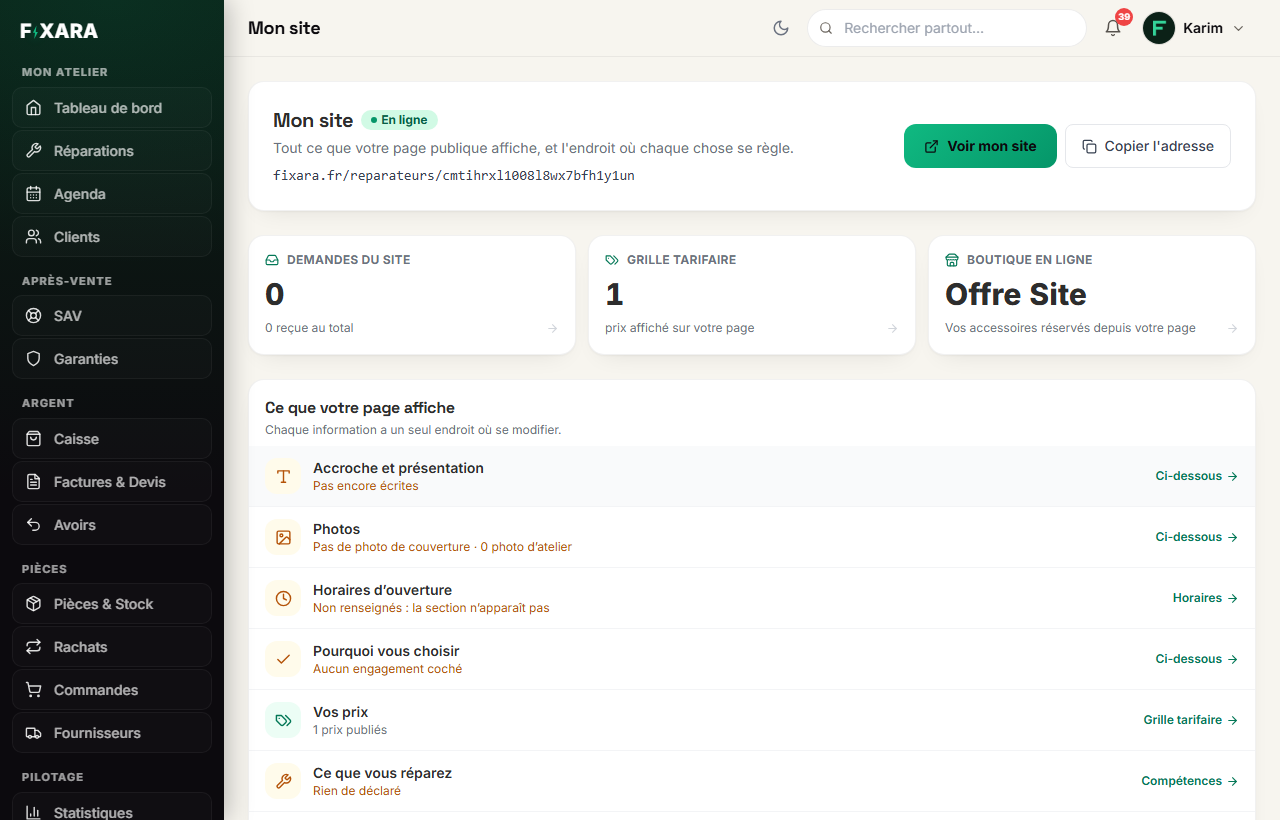
In the menu, My website group, At a glance. This is the control centre: is your website online, at which address, how many requests are waiting for you, how many prices and items it shows. Below, « Ce que votre page affiche » (What your page shows) lists each element, its status, and a link to the screen where it is set.
 12345
123451Open your website, as your customers see it.
2Your website address, to copy and share.
3The link to paste into your Google profile, “Website” field.
4Requests waiting, prices shown, your online shop.
5Each element of the page, its status, and where it is set.
Paste your website link into your Google Business Profile (Google Maps), Website field. That is what lets Google connect your profile to your page. The Ouvrir ma fiche Google (Open my Google profile) button takes you there.
Write your tagline and your introduction, and add photos
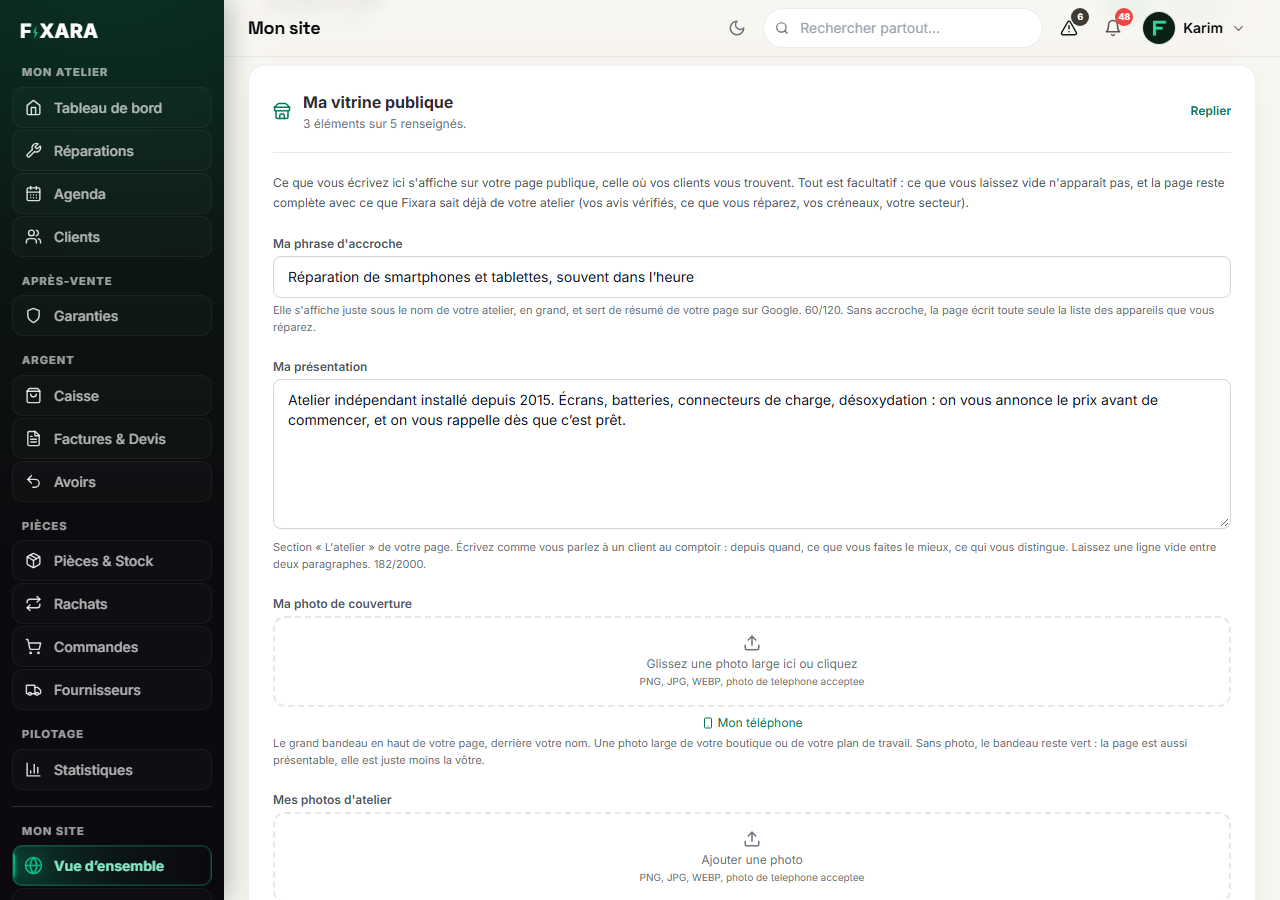
Further down, Ma vitrine publique (My public showcase). Everything is optional: what you leave empty does not appear.
- Ma phrase d’accroche (My tagline): the sentence shown in large type under your name. It also serves as the summary of your page on Google;
- Ma présentation (About me): a few lines about you, the way you would say it to a customer at the counter. It is the only part of the page nobody else wrote: it is what sets you apart;
- Ma photo de couverture (My cover photo): the large banner at the top of your page (a wide photo of your shop);
- Mes photos d’atelier (My workshop photos): up to twelve, shown next to your introduction.
Mon téléphone (My phone) shows a QR code: you take the photo with your phone and it arrives here by itself.
 1234
12341One sentence, under your name.
2Who you are, in a few lines.
3The large banner at the top of the page.
4Your real photos: the workshop, the counter, the workbench.
Choose the colour, your commitments and your frequently asked questions
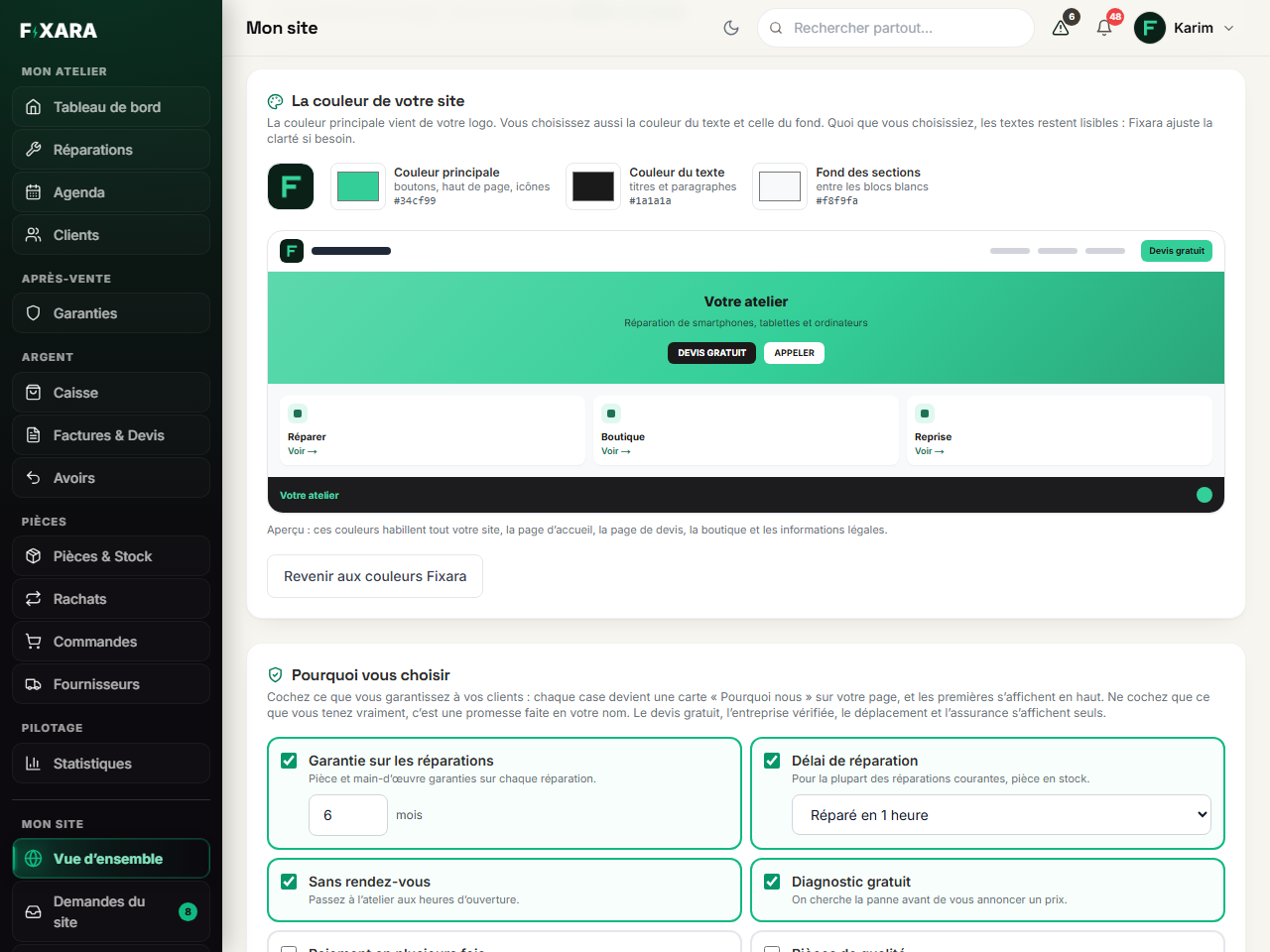
La couleur de votre site (Your website colour) comes from your logo, and you can change it. The whole page follows: the buttons, the cards, the footer, the online shop, the quote page. The preview is a miniature of your real website. Fixara sets the contrast for you: on a yellow, the text switches to black by itself.
Pourquoi vous choisir (Why choose you): tick what you really guarantee (warranty in months, repair time, no appointment needed, free diagnosis, payment in instalments…). Each box becomes a card on your page, and the first ones are shown at the top.
Vos questions fréquentes (Your FAQ): add the questions your customers ask you. The page already answers on its own the ones your settings cover (free quote, opening hours, travel, appointments).
 1234
12341The main colour, taken from your logo.
2Your website in miniature, recoloured live.
3What you guarantee your customers.
4A ticked box becomes a card on your page.
Only tick what you deliver every time. A promise on your website commits you to the customer who read it.
Your opening hours, what you repair, your area
Three screens, in the My website menu, that the website reads as they are:
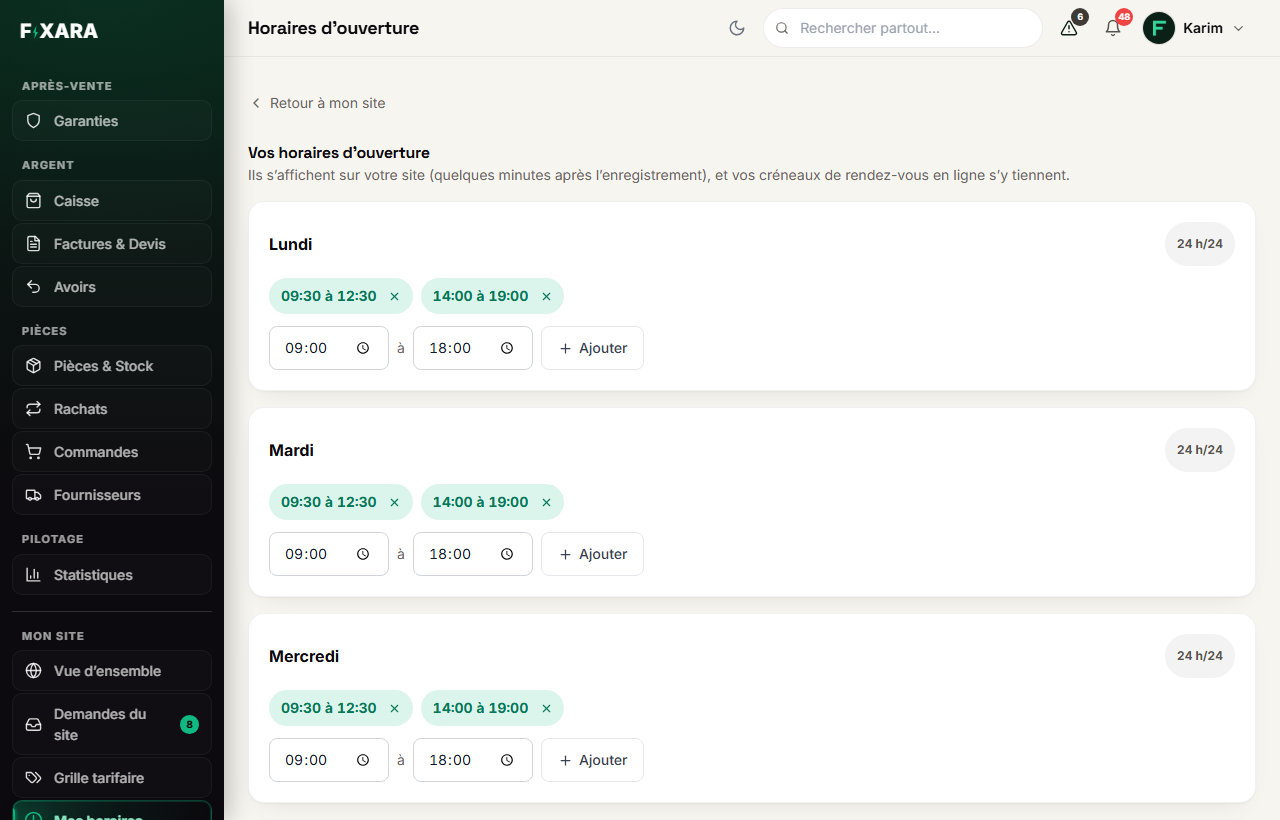
- Opening hours: one or more time slots per day (
Ajouter, Add), or24 h/24. Your online appointment slots are kept there; - What I repair: the devices and faults you take on. These are the « Ce que nous réparons » (What we repair) cards on your page;
- My area: how far you travel, and whether the customer comes to you. It is shown on the map on your page.
Each one is entered in one place only: there are never two versions of your opening hours that contradict each other.
 123
1231Back to your website overview.
2One more time slot in the day, for example the afternoon.
3Open all day.
Look at your page
Voir mon site (View my website), at the top of the overview. At the top of your page: your commitments as badges, your name, your tagline, and two buttons, Devis en 30 secondes (Quote in 30 seconds) and your phone number. Then what you do (repairs, device trade-in, selling accessories), what you repair with your “from” prices, why choose you, your introduction, your opening hours, your map and your frequently asked questions.
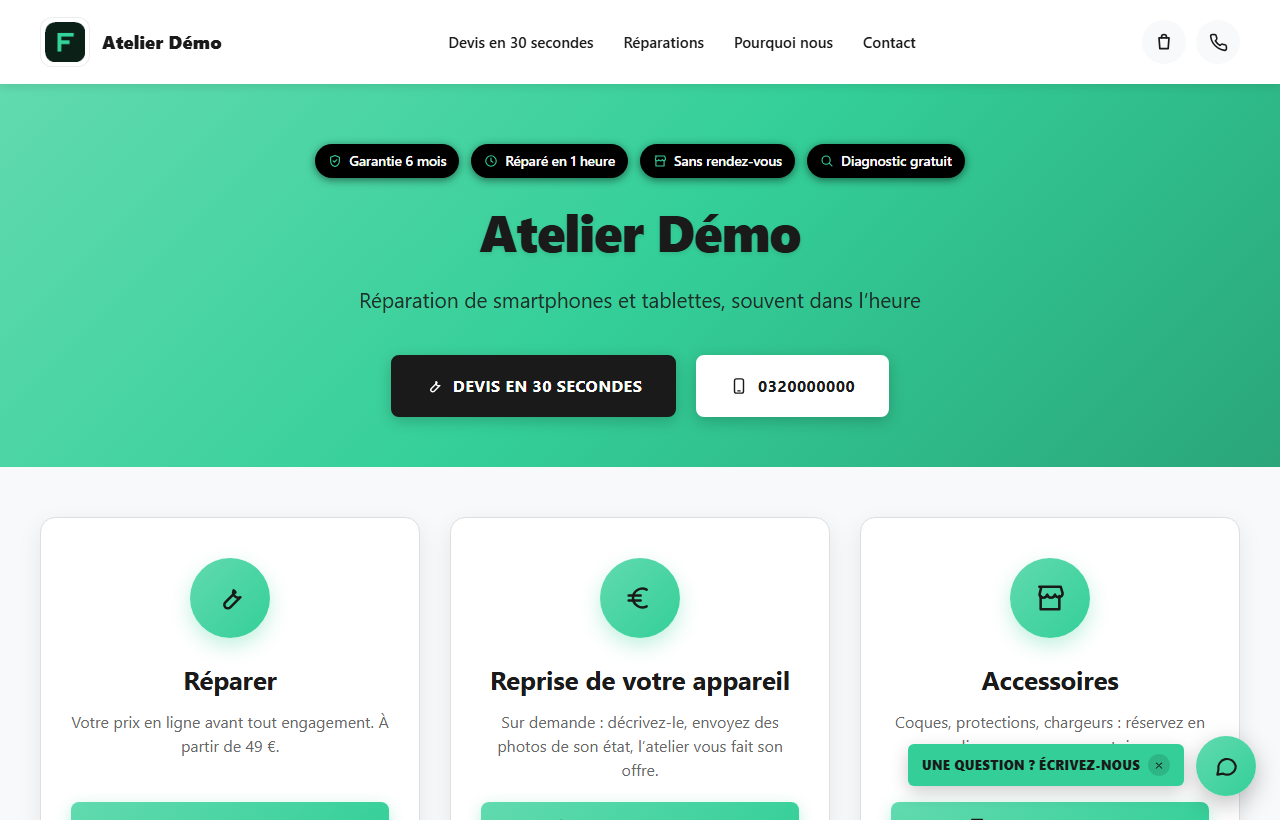 12
121The button that leads to your prices.
2Your website’s bar: it follows the order of the page.
What is shown, is shown straight away
You save, you reload your website: it is up to date. No delay to wait for.
When you share your link
The preview shown in WhatsApp, a text message or on Facebook carries your logo on your colours, with your name, not Fixara’s. It is generated by itself.
You’re done when you see this
- Your page opens at the address shown in “My website”.
- The name, logo and colours are yours.
- Your opening hours are shown in the « Nous contacter » (Contact us) section.
- « Ce que votre page affiche » (What your page shows) no longer shows anything empty that you wanted to fill in.