


Showing your prices on your website
The visitor picks their device, reads your price, and only then leaves their contact details.
Someone who types “iPhone 13 screen repair” is looking for an amount. Asking them for their name, their number and their patience to give it to them later means sending them to the competitor who shows it.
What your visitor sees
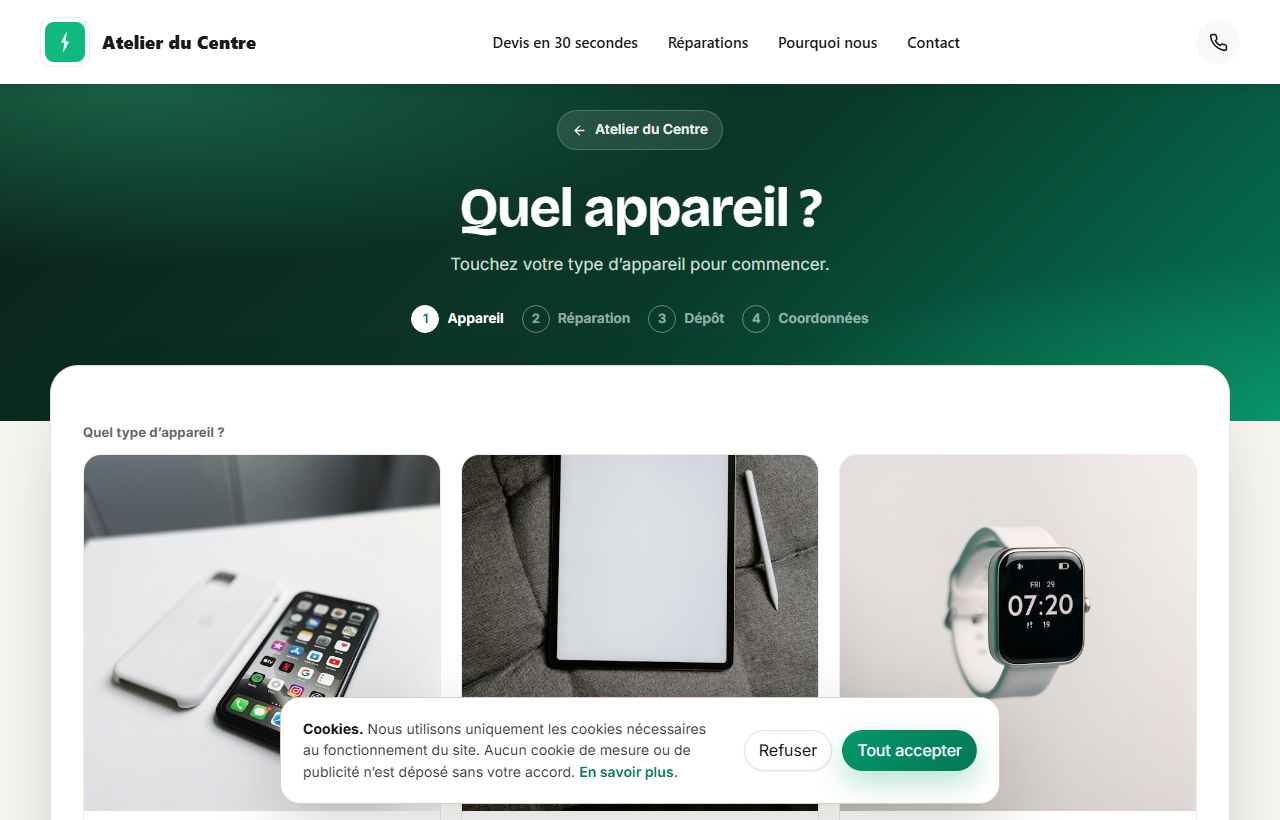
The Devis en 30 secondes (Quote in 30 seconds) button opens your quote page. The visitor picks their device family (six families shown as photos), then the brand, and each model is shown with your prices: one per repair, and for the screen, one per display quality. They pick their model, their fault, and only leave their contact details at the end.
 1234
12341They type their model, or pick it from the list.
2One brand at a time.
3What separates an Incell screen from an original screen, explained to the customer.
4One price per screen quality, from cheapest to best.
These prices are the ones in your Price list: a filled cell is shown here, an empty cell does not appear. To fill it in, see “Your parts, your prices, your price list”.
What you have not priced still goes out as a quote request
A model with no price shows « Prix sur devis » (Price on quote): the visitor picks it, describes their fault, and the request reaches you. A fault that is not in the list too: they describe it in a few words. No request is lost because a model or a fault is missing from your price list.
Several devices, and business customers
A visitor can add several devices to the same request, with a total. If they tick « Je suis un professionnel » (I am a business), they give their company name and the request reaches you marked Pro.