


Importing your customer file
An .xlsx or a .csv, even a messy one. You see the records before they are written.
A repair shop arrives with a spreadsheet, never with a clean file: a title on the first line, merged headers, one line per repair, so the same customer twenty times. Fixara’s import is built for exactly that.
Would you rather we did it for you?
Bringing in your data is included in the subscription, whatever your plan: your customers, your catalogue, your suppliers, your repairs in progress. In Settings, Abonnement (Subscription) tab, Demander la reprise de mes données (Request my data transfer), or write to support.
Open Customers, then “Import”
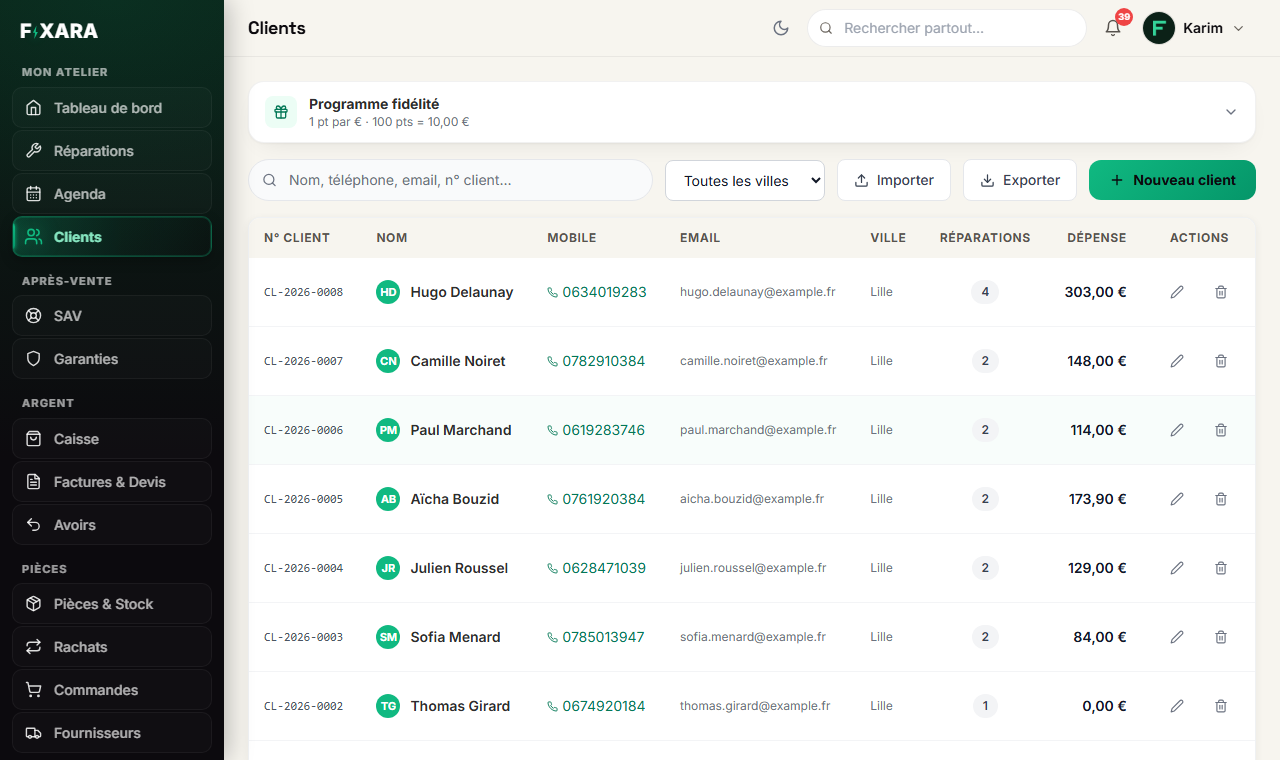
In Customers, the Importer (Import) button is next to Exporter (Export). Above the list, the Programme fidélité (Loyalty programme) block sets your customers’ points.
 1234
12341Loyalty points: how many per euro, and what they are worth.
2Bring in your file.
3Take it out again, in full, whenever you like.
4Or create a customer by hand.
Drop the file in, and read the preview
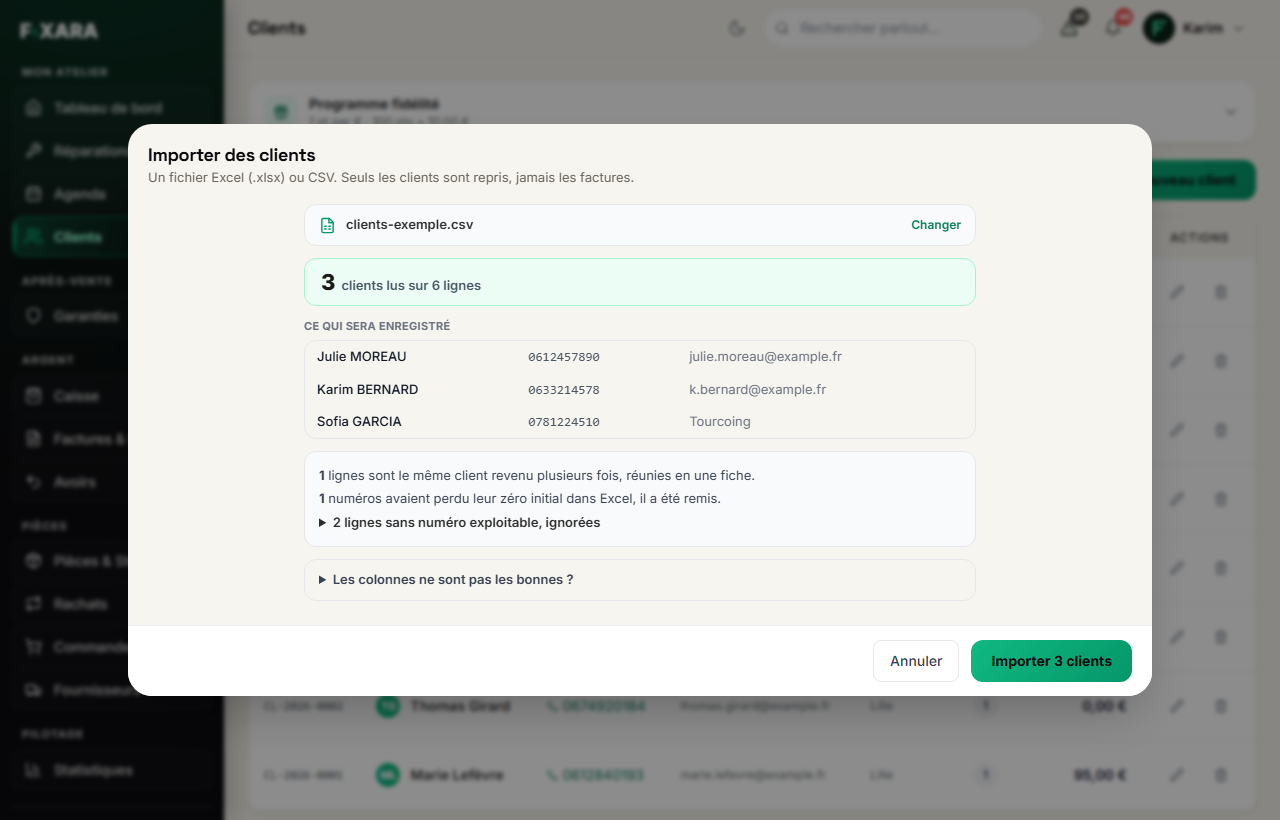
Drag your file into the window (Excel .xlsx or .csv, up to 10 MB). Fixara picks the fullest sheet, finds the header row, recognises the columns, and shows you the records exactly as they will be saved. Below, what it did with your file: lines of the same customer merged into one record, numbers that had lost their leading zero in Excel and were restored, lines set aside and why.
Nothing is written until you click Importer N clients (Import N customers).
 12345
123451How many customers come out of how many lines.
2The records, exactly as they will be saved.
3What was merged, corrected or set aside, and why.
4A column wrongly recognised? It is corrected here.
5Nothing is written before this click.
Preparing your file yourself? Télécharger le modèle de fichier (Download the file template), in the import window, gives you the right columns.
An import cannot be undone
A thousand records entered wrongly have to be fixed one by one. That is exactly why the preview exists: the only moment you can say “the phone column is the other one” is before.
Two rules learned from real files
We never deduplicate on the phone number alone: in a real file, five numbers belonged to two different people (a couple, a family). The key is the phone and the name. And a number entered in a “number” column loses its leading zero in Excel: Fixara puts it back, and says so in the report.
Invoices are not imported
Recreating invoices already issued elsewhere would produce a second series of numbers, with wrong dates, on documents that cannot be altered. Your history stays with your former software provider, who must keep it (for ten years in France); your Fixara numbering starts clean.