


Opening your online shop
Publish items from your stock, receive orders, take payment online or on collection.
Before you start
- The Atelier + Site plan.
- Items in stock with a selling price.
Publish your items
In the menu, Online shop, Orders and items, Articles en ligne (Items online) tab. Tick En ligne (Online) on each item to sell: it appears on your shop straight away. Nothing is published without this step, and an item without a selling price is refused. The price shown is your selling price, the same as at the counter.
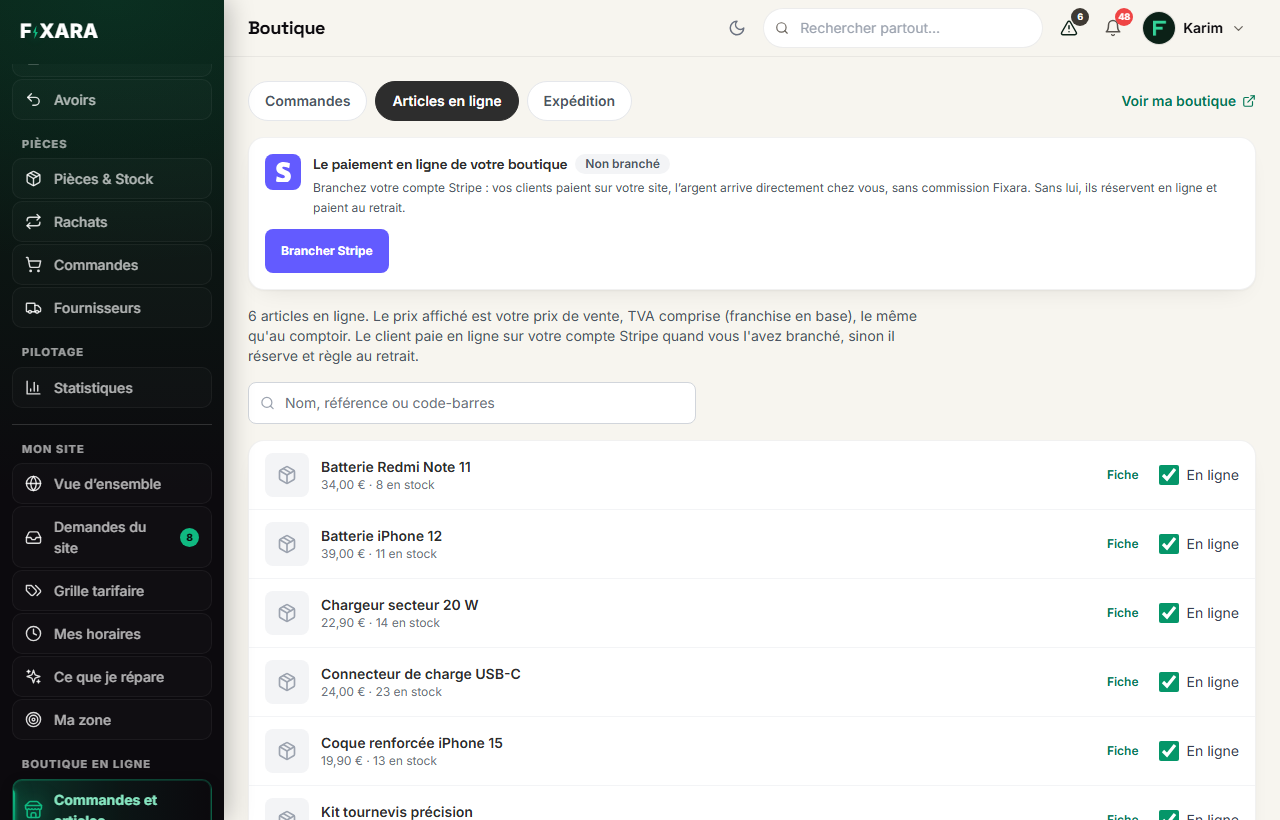 1234
12341Three tabs: orders received, items published, shipping.
2Online payment, on your own Stripe account.
3Ticked, the item is on your website; unticked, it disappears from it.
4See your shop, as your customers do.
The public shelf shows neither your purchase price, nor your supplier, nor your exact stock above five. Add a photo in the item’s record (Parts & Inventory): without one, the card shows an icon.
Connect online payment (optional)
Brancher Stripe (Connect Stripe): your customers pay on your website, and the money goes straight into your account. Without Stripe, they reserve online and pay on collection, at your shop.
What your customer sees
Your shop carries your colours and your navigation bar. They search for an item, filter by category, add to basket, choose collection at the shop, delivery or pick-up point if you offer them, leave their contact details, then pay online or reserve.
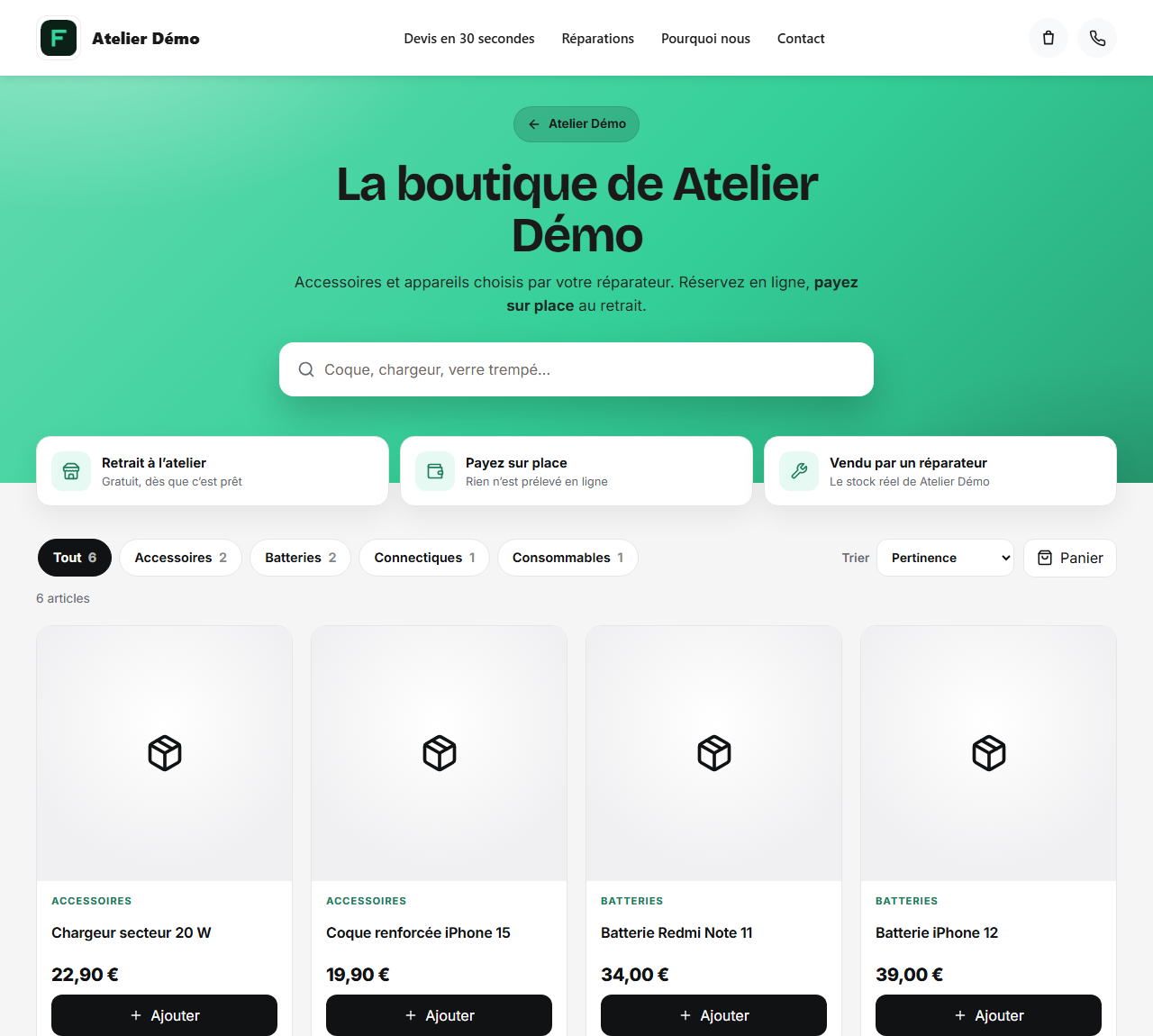 1234
12341Search through your items.
2The categories of your stock.
3The basket, which opens on the side.
4Add to basket.
Handle the order
You are notified (bell, and a notification on your phone). The order appears in the Commandes (Orders) tab, with its stages: payment in progress, to prepare, ready, collected, cancelled. When the customer comes in, Encaisser (Take payment) opens the till with the lines at the price fixed when ordering. If they already paid online, Remis au client (Handed to customer) is enough. The customer receives an e-mail at each stage.
The counter sees what the online shop has already taken
An item reserved by an online order carries a « N réservés » (N reserved) badge in the till and in the stock. Fixara does not prevent the sale at the counter (it is your stock, you have a customer in front of you), but you decide knowing it.
An order not collected frees itself
After fifteen days, the order is cancelled, the customer notified, and the item becomes available again.